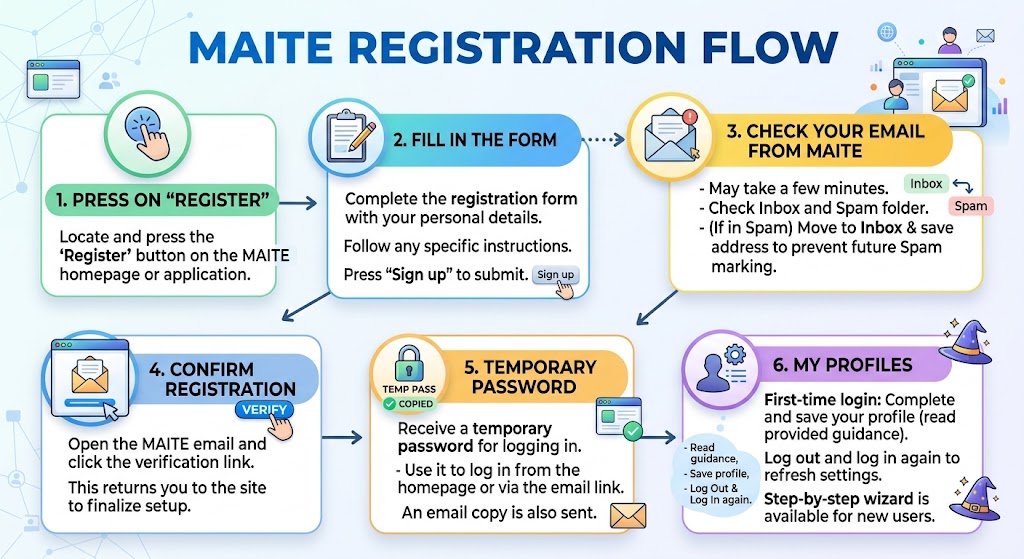
- Press on “Register”
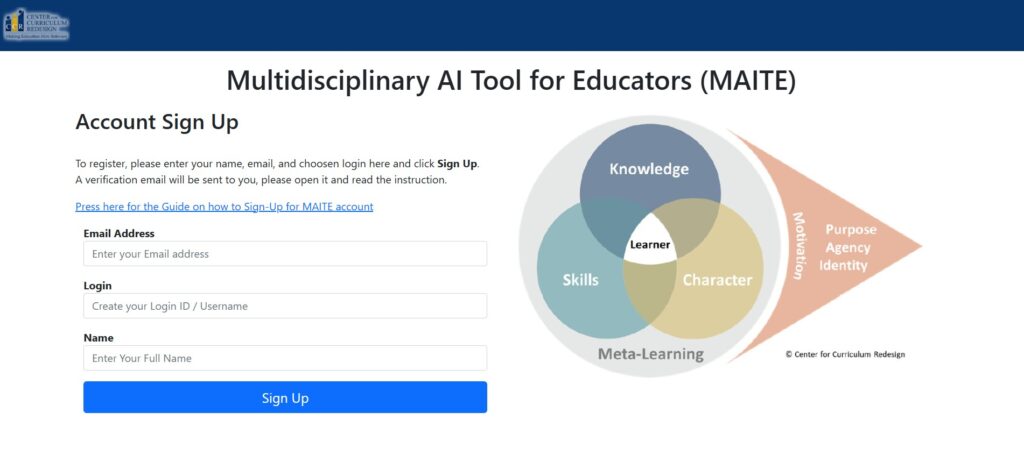
- Fill in the form
- Follow instructions.
- Press the Sign Up button to submit the form.
- Check your email from MAITE
- It may take a few minutes to arrive.
- Check both your inbox and spam folder.
- If it is in spam, move it to your inbox and save our address to ensure that future email is not marked as Spam.
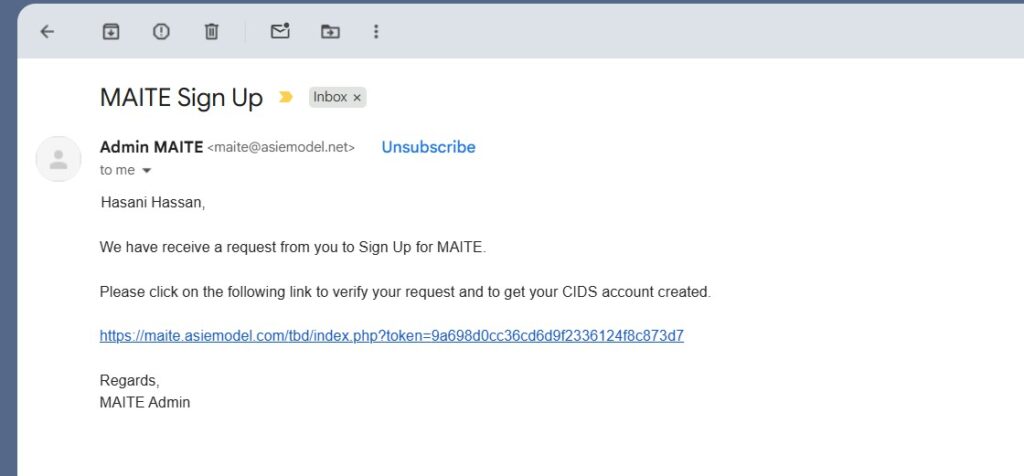
- Confirm registration
- Open the email and click the verification link.
- This will bring you back to our site to finish setting up your account.
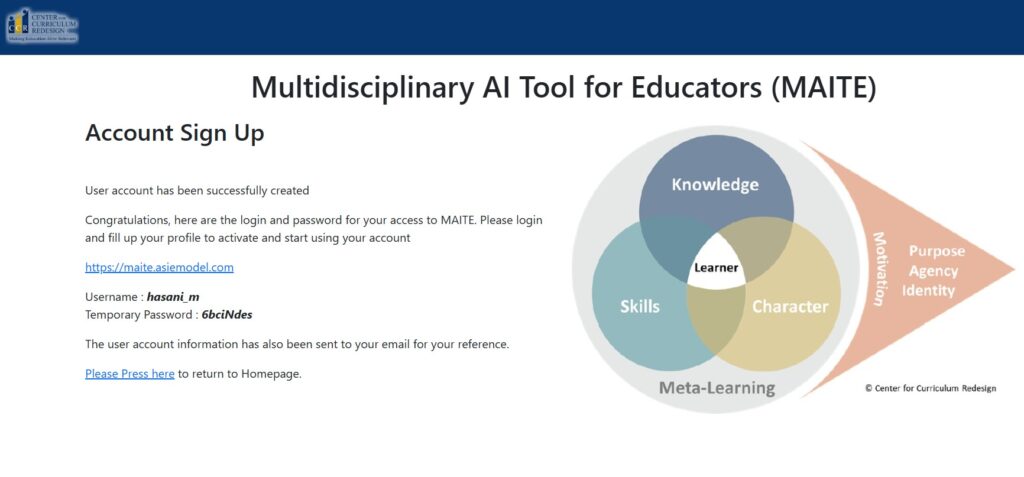
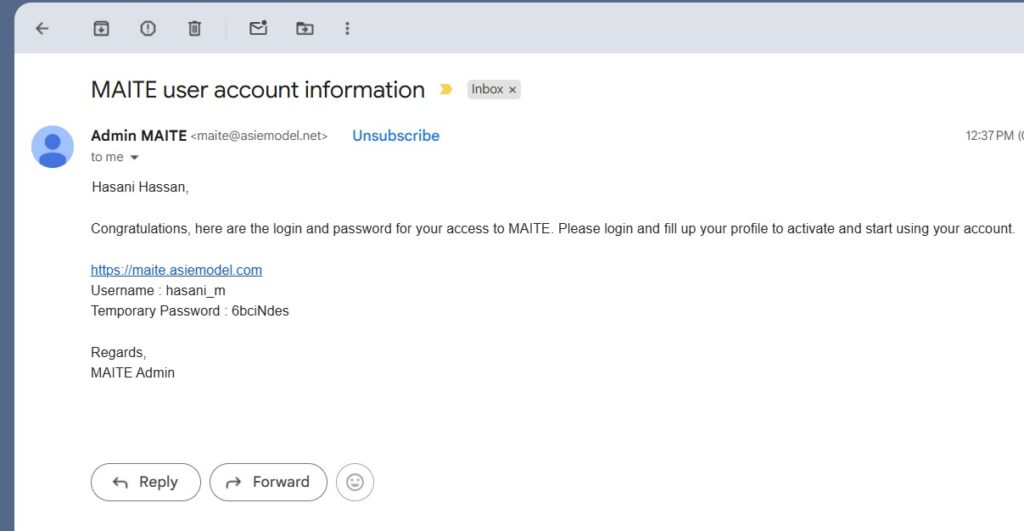
- Temporary password
- You will be given a temporary password.
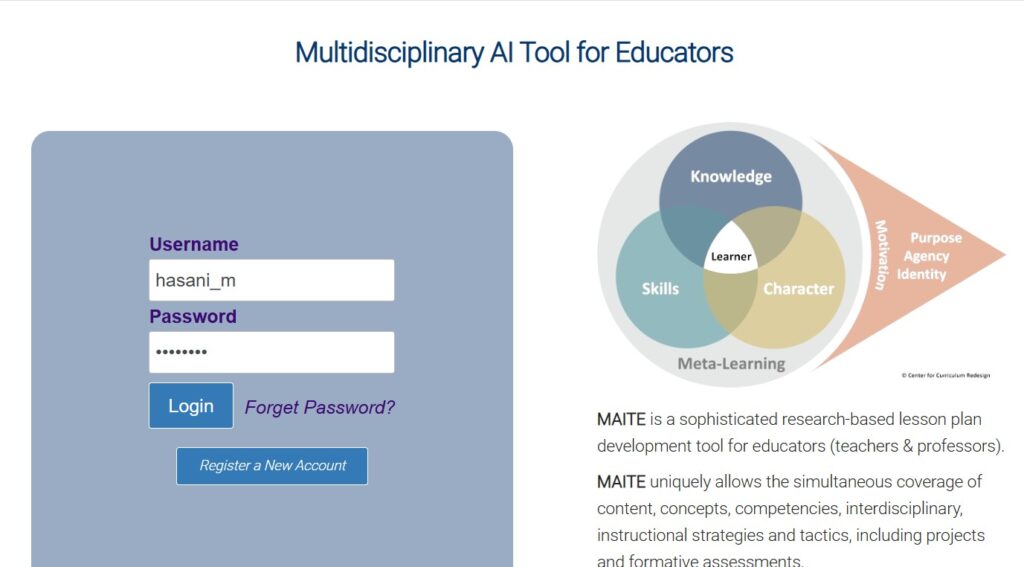
- Use this password to log in to MAITE.
- You can log in from our homepage or through the link provided in the email.
- Copy of the information will also be email to you for your reference.
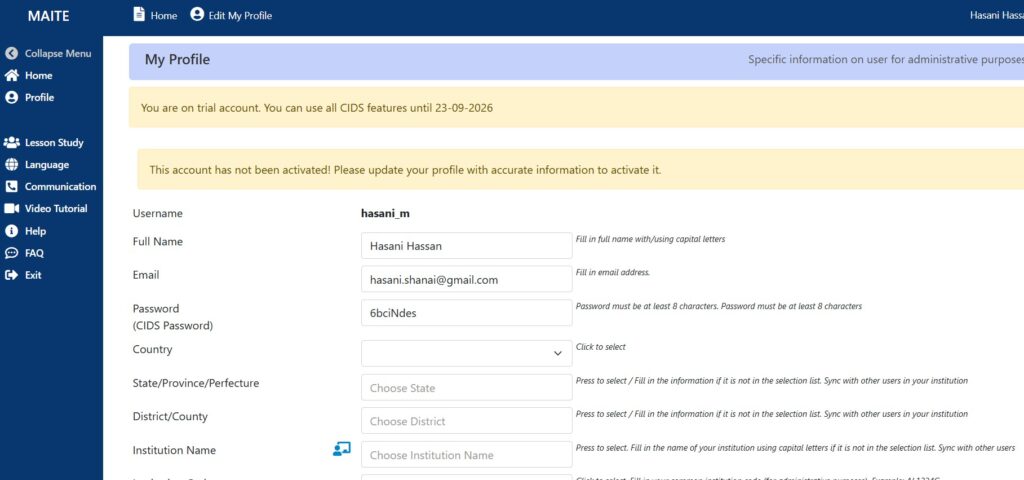
- My Profiles
- When you log in for the first time, you will need to complete your profile and save it.
- Please read the information provided for guidance.
Please log out and log in again to refresh your settings.
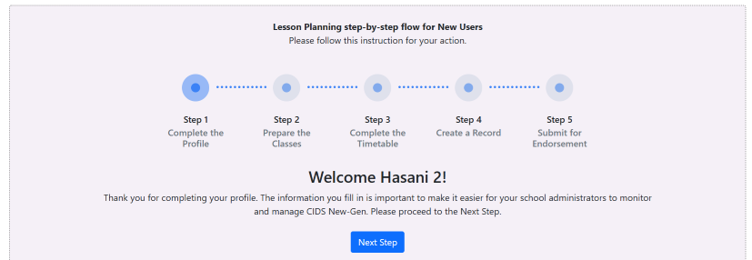
The main MAITE page features a step-by-step wizard for new users.